
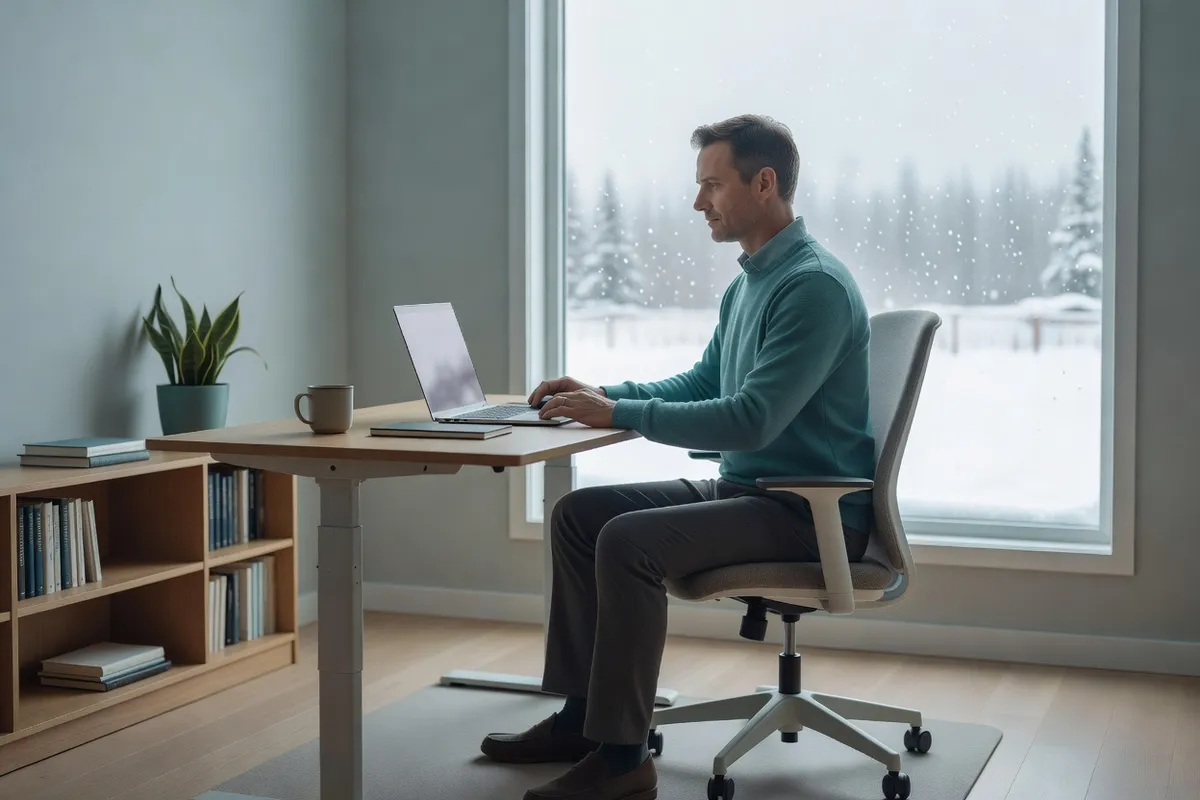
A Canadian winter can make remote work feel more stationary: daylight may be limited, outdoor errands take more planning and a desk can become the centre of the whole day. A comfortable approach starts with a work surface that fits the task, a chair and screen arrangement you can adjust, clear space to move and regular changes in position. It also helps to treat posture as a working arrangement rather than one rigid pose to hold all day.
Winter changes the workday, not the need for a workable desk
Remote work often begins with a practical decision: open the laptop where there is space, answer a few messages, then stay there for the day. In summer, the workday may contain more incidental movement. A walk to get coffee, a trip to a library, a school pickup or an errand can interrupt screen time without much planning. During a Canadian winter, those transitions may be less spontaneous.
That does not mean winter requires an elaborate routine or a specialised home office. It means the workstation deserves a little more attention because it may be used for longer, more continuous stretches. A desk setup that is merely manageable for occasional work can feel limiting when it becomes the setting for meetings, focused tasks, meals and evening administration.
The movement and posture guide takes a broader look at how everyday movement and working positions fit together. For remote work, the useful starting point is modest: make it easier to vary what your body is doing while still being able to complete the work.
Posture is sometimes discussed as though there is one correct shape that must be held indefinitely. A more realistic goal is an arrangement that does not force unnecessary reaching, twisting or constant correction. If the screen is hard to see, the mouse is far away or the work surface leaves little room for the task, the body may repeatedly adapt around those constraints.
A winter setup also has to work in an ordinary home. The desk may be in a bedroom, living room or shared dining area. Heating, window light, boots by the door, cables and winter clothing can all affect the available space. A practical setup is one that acknowledges those limits rather than pretending that every home has a dedicated office.
Start with the surface you use most
The Canadian Centre for Occupational Health and Safety says a home office should meet the same health and safety requirements as an office where possible. It also notes that a kitchen table is generally unsuitable as a regular workstation because it is often too high for appropriate keyboard and mouse positioning. Its guidance on telework and working from home is a useful Canadian reference when a temporary arrangement starts becoming permanent.
This does not make a kitchen table forbidden. It may be the only option in a small apartment, a shared house or a short-term work situation. The point is to recognise its limits. A dining surface is designed for meals, not necessarily for sustained screen and input-device use. It may leave the keyboard and mouse at an awkward relationship to the chair, particularly if the chair itself is not adjustable.
Before changing anything, look at the workstation as a whole rather than blaming one item. The work surface, chair, display, keyboard, mouse, lighting and nearby storage all interact. A new chair cannot fully compensate for a screen placed where you must turn to see it. A laptop stand alone may not help if the keyboard and pointing device remain difficult to use. Small adjustments may be more useful when they are coordinated.
Consider these questions at the start of a winter workday:
- Can you sit close enough to the work surface without leaning forward to reach it?
- Is there room for the keyboard, mouse and the papers or tools you actually use?
- Can you see the display without repeatedly shifting your body to one side?
- Are frequently used items within a comfortable reach?
- Is the floor area sufficiently clear to let you get up and move without navigating bags, boxes or charging cables?
- Can you make a change when the task changes, such as moving from focused writing to a video call?
A clear workspace matters beyond appearance. CCOHS advises keeping the home work area tidy to help limit twisting. In a winter home, this can include giving coats, boots, bags and delivery boxes a place away from the desk route. The purpose is not minimalism. It is reducing the small, repeated interruptions that make a work area feel cramped.
A separate desk or table can be helpful because it creates a clearer boundary between work and the rest of the home. Yet a separate surface is only one option. A carefully arranged section of a shared table may still be more workable than balancing a computer on a sofa or bed. The key is whether the space can support the tools, position and attention the task requires.
Build an arrangement that can change with the task
A remote workday is rarely one continuous kind of work. Reading, writing, spreadsheets, video calls, drawing, reviewing documents and responding to messages place different demands on the workspace. Instead of trying to make one static setup suit everything, create a few simple options.
For example, a person who spends part of the day reading may want a stable place for documents rather than stacking them under the keyboard. Someone in frequent video calls may need to move the screen or change the lighting. A worker who uses a laptop for travel and a larger display at home may need an easy way to connect and disconnect equipment without turning the desk into a tangle of cables.
The table below is not a checklist for a perfect office. It is a way to identify what can be adjusted when the workday starts to feel constrained.
| Workstation element | What to notice | A practical adjustment to consider |
|---|---|---|
| Work surface | Whether there is enough room for the tools used together | Remove items that belong elsewhere and keep regular tools nearby |
| Chair | Whether the chair allows you to sit close to the work | Adjust its position or use a more suitable chair when available |
| Screen | Whether you keep leaning, turning or moving closer to see it | Reposition the display and reassess it during the task |
| Keyboard and mouse | Whether they require repeated reaching across the surface | Bring them into a closer, more usable working area |
| Lighting | Whether reflections or contrast make the display hard to view | Change the screen angle, blinds or nearby lighting |
| Floor space | Whether getting up requires avoiding clutter | Clear a simple route to stand, walk and return |
The CCOHS office ergonomics guidance can help frame this review. It is especially useful to approach ergonomics as an ongoing adjustment rather than a one-time purchase. The same chair may feel different when you are wearing thicker winter clothing, when a space heater changes where you sit, or when a shared room is rearranged for the evening.
If work requires a laptop, avoid assuming that its built-in screen, keyboard and pointing surface must all remain in one fixed relationship. The compact design is useful for portability, but home work can allow more flexibility. Where equipment is available, the screen and input tools can be considered separately. The aim is not to create a technical project; it is to make the task easier to perform without repeatedly folding around the device.
Make room for movement in a day that stays indoors
Remote work can remove the small movements built into a conventional workplace. Walking to a meeting room, getting up to speak with a colleague or moving between floors may disappear. In winter, leaving the house may take more preparation, so even a short outdoor break can feel less automatic.
A useful response is not to demand a highly structured fitness plan from every workday. It is to notice where movement has vanished and restore some of it in ordinary ways. Stand to refill water. Walk to another room before a call. Put a frequently used reference item somewhere that requires you to rise rather than reach across the desk. Use the end of a task as a cue to change position before beginning the next one. Our guide to sleeping through a Canadian winter looks at how daylight and evening routines fit around a working day.
These are not performance targets. They are design choices that interrupt a long, fixed arrangement. The best cue is often one attached to an activity that already happens: finishing a meeting, sending a file, making lunch or returning from the door after a delivery. A cue that fits the work pattern is more likely to remain useful than one that creates an additional obligation.
The Canadian 24-Hour Movement Guidelines for adults aged 18 to 64 recommend at least 150 minutes of moderate-to-vigorous physical activity each week, muscle strengthening activities at least twice weekly, seven to nine hours of good-quality sleep with consistent bed and wake times, and limiting sedentary time. These Canadian guidelines place desk posture within a wider daily pattern rather than treating it as an isolated problem.
That wider pattern can be particularly relevant in winter. A comfortable workstation cannot replace sleep, regular meals, time away from work or other forms of activity. Equally, a walk or exercise class does not automatically make a poorly arranged desk workable. The two ideas can sit together: make the workstation more practical, and make movement part of the ordinary rhythm of the day.
The evidence review by Shrestha N, Kukkonen-Harjula KT, Verbeek JH, Ijaz S and colleagues, published in the Cochrane Database of Systematic Reviews in 2018, examines workplace interventions intended to reduce sitting at work. Readers who want to explore that research can consult the Cochrane evidence summary. A research review can inform questions, but it cannot choose the right routine for an individual home, job or health situation.
A movement plan can also respect Canadian winter realities. On a severe-weather day, the most practical option may be several brief changes of room, a few moments standing at a counter, or a call taken away from the desk when privacy permits. The value lies in creating variety, not in making the day more complicated.
Light, screens and visual comfort deserve their own review
When daylight is short, indoor lighting has more influence over the workday. A screen that was easy to use in one season may be more distracting when darkness arrives earlier, a lamp is switched on or a low winter sun reaches the room. The goal is not a particular style of lighting. It is to make the display and the task easier to view.
Start by observing what happens during real work. Do you close one eye against reflection? Do you move the screen repeatedly? Is a video-call window hard to see at certain times of day? Does a lamp create an unwanted reflection? These observations are more useful than trying to copy someone else’s desk arrangement.
Screen position, curtains or blinds, lamps and the direction of the desk can all be adjusted. Sometimes the simplest change is moving a lamp rather than moving the entire workstation. In another home, turning the display slightly or changing the seat position may make more sense. Make one change, use it for a typical task and then decide whether it is genuinely better.

Visual comfort is also affected by what competes for attention around the screen. A busy background, piles of paper, a glare-prone window or a television in the same room can make it harder to settle into focused work. There is no need to eliminate every distraction, but a work area can be arranged so the most important visual information is easier to find.
For video calls, consider whether the screen, camera and lighting arrangement lets you participate without constantly readjusting your chair. This may involve checking the setup before an important meeting rather than trying to solve it while other people are waiting. A small preparation step can reduce the urge to twist, lean or keep one hand on the computer while speaking.
Let the home work area support the rest of the household
A workstation is part of a home, not separate from it. The arrangement needs to work around shared meals, children’s schedules, pets, roommates, limited rooms and the practical clutter of winter. Trying to maintain an idealised office setup in a multipurpose room can create frustration. A more useful approach is to decide what needs to remain stable and what can be packed away.
For some people, the stable element is the chair. For others, it is a screen position, a cleared corner of a table or a box containing the keyboard, mouse and charger. If the workstation must be dismantled each evening, make reassembly simple. Keep the essential items together and reduce the number of decisions needed each morning.
The article Gentle self-care for neck, knees and feet: what is reasonable to try offers a separate discussion of everyday comfort and sensible limits. In the context of remote work, it can be useful to avoid treating every sensation as a problem to solve at the desk. Sometimes the better next step is simply to pause, change position, eat, rest or speak with a health professional when concerns persist.
Shared homes also benefit from clear expectations. A household may not need a formal policy, but it can help to agree on when a table is needed for work, where equipment is stored and which routes must remain clear. This matters when snow gear, groceries, school materials and work devices all accumulate near the same entrance or dining space.
Consider the emotional side of the physical setup as well. A desk placed in the middle of a living area can make work feel present from morning to night. If relocation is not possible, a small closing routine can mark the end of the work period: put the laptop away, move the chair back, turn off the task light or place documents in a drawer. This is not an ergonomic rule. It is a practical boundary that may make it easier to use the room differently after work.
Notice when the setup is asking too much of you
A workable workstation should not require constant vigilance. If you find yourself repeatedly shifting to see the screen, reaching around equipment, working from the edge of the chair or avoiding movement because the area is cluttered, treat those patterns as information. They suggest the arrangement deserves another look.
Begin with the simplest changes. Clear the immediate surface. Move rarely used items away. Bring everyday tools closer. Check whether the chair can move nearer to the work. Reconsider the display location after the room’s lighting changes. These steps are easier to test than a complete redesign, and they can reveal which part of the setup is creating difficulty.
It may also help to distinguish between a task problem and a furniture problem. A long video meeting may feel demanding even in a well-organised workspace. A deadline may lead anyone to remain still longer than intended. A winter week with family illness, school closures or difficult weather may disrupt usual habits. Not every uncomfortable day means the desk has failed.
At the same time, persistent or concerning discomfort deserves appropriate attention. A workstation review can support everyday comfort, but it is not individual assessment or medical care. A physician or licensed health professional can help when symptoms are ongoing, worsening or otherwise concerning.
The interview with an ergonomist about moving more during the workday explores the value of asking practical questions rather than searching for one universal posture. Its central idea is useful here: work arrangements are more sustainable when they allow change.
A winter reset can be simple and repeatable
A seasonal reset does not need to happen on a particular date. It can take place when the heat comes on, daylight changes, a new work project begins or the home layout shifts. Choose a normal workday rather than an unusually calm one, because the aim is to see how the setup performs under ordinary conditions.
Try a short review at the beginning, middle and end of the day. In the morning, check whether the essential tools are ready and the route around the desk is clear. Midday, notice whether lighting, screen position or surface clutter has changed. At the end of the day, decide what should stay in place and what should be put away.
A small written list can help if several people share the space:
- Set out only the equipment needed for the current task.
- Keep the keyboard, mouse and work materials in a consistent area.
- Make it easy to stand and step away from the desk.
- Reassess light as outdoor conditions change.
- Restore the room for home use when the workday ends.
This approach avoids the pressure to achieve a final, perfect arrangement. Remote work changes. A different project may require papers, a second display, more calls or more concentration. Winter routines also change with weather, household schedules and available daylight. The workstation can change with them.
Returning to the movement and posture overview may be useful when you want to consider the desk as one part of a broader daily pattern. The most durable approach is usually the least dramatic one: a surface that supports the task, a room that allows you to move, enough flexibility to adjust the setup, and habits that make those adjustments ordinary rather than exceptional.
Frequently asked questions
Is a kitchen table acceptable for remote work?
It can be useful for a short, occasional task, but it is usually not an ideal regular workstation. The Canadian Centre for Occupational Health and Safety notes that kitchen tables are commonly too high for suitable keyboard and mouse positioning. If it is the only available surface, consider it a temporary compromise and reassess the arrangement often.
Do I need special equipment for a more comfortable home workstation?
Not necessarily. A separate work surface, a chair that can be adjusted, a stable screen position and a clear area around the desk can be useful starting points. The aim is not to build a perfect office or buy every accessory. It is to create an arrangement that can be adjusted as your work changes.
Why can remote work feel more sedentary in winter?
Winter can remove ordinary transitions from the day, such as walking to transit, stepping outside at lunch or moving between meetings. Remote work can remove other small movements too. Planning practical reasons to stand, change rooms or step away from the screen can make the day feel less confined to one seated position.
How often should I change position while working?
There is no single schedule that suits every job, home or person. A practical approach is to notice when you have been absorbed in one task for a long period and use natural transitions to change position. Finishing a document, sending a message or refilling water can become cues to stand, walk briefly or reset the workspace.
What should I do if work-related discomfort does not settle?
Review the practical features of the setup first, including the work surface, chair, screen, keyboard, mouse, lighting and room to move. If discomfort is persistent, worsening or concerning, seek advice from a physician or licensed health professional. A workstation review can support a broader conversation, but it is not a substitute for individual assessment.
Sources
Verified on
- CCHST / CCOHS, Telework / Remote Work / Working from Home, Centre canadien d'hygiène et de sécurité au travail, 2026.
- CCHST / CCOHS, Office ergonomics, Centre canadien d'hygiène et de sécurité au travail, 2026.
- CCHST / CCOHS, Office ergonomics: major work-related risk factors, Centre canadien d hygiène et de sécurité au travail, 2026.
- Shrestha N, Kukkonen-Harjula KT, Verbeek JH, Ijaz S et al., Workplace interventions for reducing sitting at work, Cochrane Database of Systematic Reviews, 2018.
- Cochrane, Workplace interventions (methods) for reducing time spent sitting at work, Cochrane, 2018.
- SCPE / CSEP, Canadian 24-Hour Movement Guidelines for Adults (18-64), Société canadienne de physiologie de l'exercice, 2026.